
Cheating During Testing Phone Trick: The All-A Method
Cut phone-out time by prefilling A so the scanner skips correct bubbles.
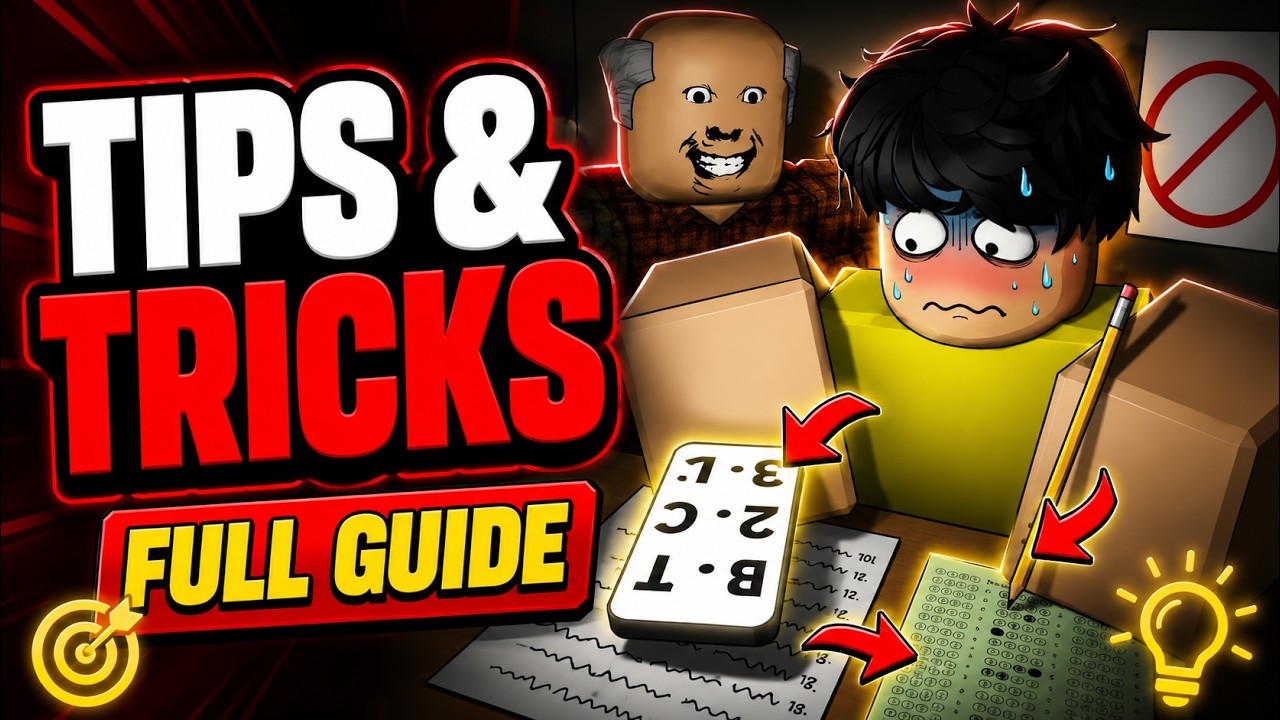
The phone is the centerpiece of Cheating During Testing. It photographs your answer sheet and returns the corrections you still need — but it processes questions one by one. Every second it sits in your hands is a second the teacher can catch you. The all-A method exists to shrink that window.
Why prefilling A works
When you photograph a sheet, the phone skips any bubble that is already correct. If you mark every question as A first, roughly a quarter of a four-option test is already right by chance. Those numbers never appear on the phone list. The device only chews through the remaining wrong answers, so capacity upgrades (up to five answers per photo on higher tiers) finish faster and you holster sooner.
Step-by-step exam routine
- Sit facing forward and open the answer sheet as soon as the test begins so Anxiety stays low.
- Bubble A on every question without thinking — speed matters more than second-guessing.
- Check the teacher’s head direction. Wait until they face away or move to the far side.
- Photograph the sheet. Read the phone list.
- Enter only the answers shown. Skipped numbers stay as A.
- Put the phone away the moment the teacher turns. Write with the pencil to bleed Anxiety down.
- Repeat short bursts until the paper is complete.
The embedded video mid-page demonstrates the same cadence — notice how little time the phone stays visible.
Version A vs Version B
Your sheet prints a version letter. Version B answers are not Version A answers. Copying a neighbor without checking versions is a silent F. Always confirm your version before trusting any shared glance. The phone pipeline is tied to your own sheet photo, which is why the all-A self-scan is safer than blind copying.
Upgrades that multiply the trick
Spend Credits on phone capacity and speed before luxury gadgets. Capacity pulls more answers per photo; speed moves Medium toward Fast so the device leaves your hands sooner. Tier unlocks and costs are tracked on Phone Items and ranked on Phone Tiers. Smart Watch and Smart Glasses help awareness, but they do not replace a faster scanner — see Gadgets Tier List.
Pairing with anxiety discipline
The trick fails if you keep the phone out while Anxiety climbs. Face forward between bursts, use the pencil, and never chase a full clear in one long stare. Combine this page with Anxiety and Hunger and Avoid Getting Caught. For 100% timing windows when the teacher is distracted, jump to Ultimate Cheater.
Common mistakes
- Photographing before all-A prefills — wastes capacity on answers you could have skipped.
- Holding the phone through a head turn — instant catch.
- Ignoring version letters when peeking neighbors.
- Buying snacks or Robux snitch tools before the first phone upgrade.
- Leaving the phone out while another student faces you — free report for them.
Practice drill
In an empty-feeling lobby seat, run three exams where your only goal is: all-A → one photo → holster → pencil → second photo. Do not chase 100% yet. When the holster timing feels automatic, layer Ultimate Cheater windows. Track spend with the Credits Planner so every Credit returns scan speed.
The phone trick is not a cheat code outside the game’s fantasy — it is the intended gadget loop expressed optimally. Players who internalize it climb grades, bank Credits, and unlock the loadouts covered across the Items and Tier List hubs.
Advanced prefill variants
Some players experiment with prefilling the statistically common letter from a prior Version A memory. That is fragile across versions. All-A remains the robust default because it needs zero memory and still skips ~25% on four-option sheets. Only abandon all-A if a patch changes how skips work — then reread Update Log.
Desk ergonomics in third person
Nudge the camera so the sheet fills more of the frame before lifting the phone. Fewer adjustments mid-scan means fewer frames exposed. Combine with high sensitivity so a single flick reacquires the teacher.
Teaching the trick in voice chat
Speak the steps aloud once for a friend, then go quiet. Narrating every answer slows the holster. Quiet hands beat loud coaching.
Frequently Asked Questions
Quick answers to the most common classroom questions.
Does marking everything A always help?
Yes for the phone filter. Correct A answers are skipped, so the scanner finishes faster.
What if my correct answers are not A?
That is expected. The phone lists the real letters for wrong bubbles; leave skipped numbers as A.
Should I upgrade phone or glasses first?
Phone capacity and speed first. See Gadgets Tier List.
Can scripts replace the phone trick?
Some players use automation hubs listed under Scripts, but they risk bans — learn the manual loop first.