
Cheating During Testing How the Exam System Works
Timer, answer sheets, Version A/B, pencil rhythm, and what the Assessment Complete screen actually pays.
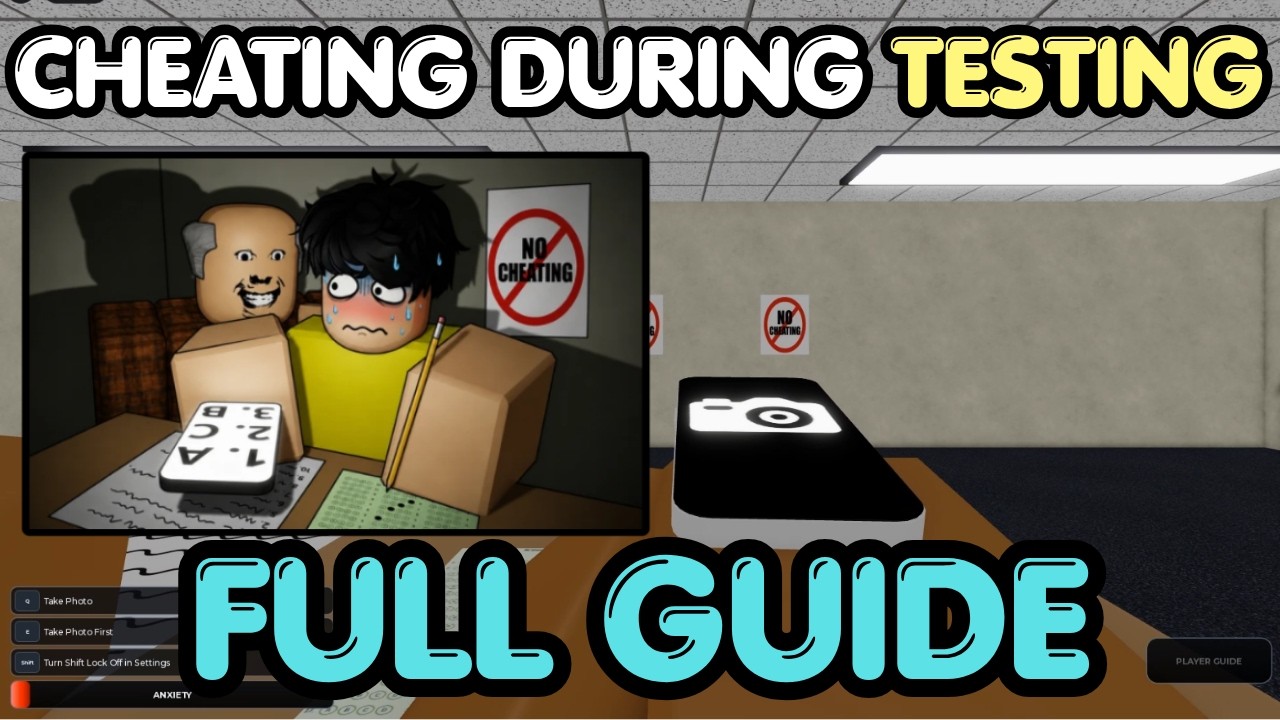
Every round of Cheating During Testing is a single timed exam inside a shared classroom. Understanding exactly how the test loop works — from the lobby prompt to the Assessment Complete screen — separates players who rely on luck from players who engineer consistent results. This page is the mechanics reference other guides reference without explaining.
The exam loop at a glance
Each round follows: lobby → seating → exam start → timed test → Assessment Complete (or caught) → lobby. The teacher walks in, you receive an answer sheet, and the countdown begins. Everything on this wiki assumes that loop is understood.
What the lobby prompt says
The in-game prompt when entering reads something like “Time to cheat. Don’t get caught.” That is the entire premise. From that point, the game gives you a desk, a sheet, a pencil, and a timer. No tutorial interrupts the flow — that silence is intentional. You learn by doing.
The answer sheet and version letters
Your answer sheet prints a letter — Version A or Version B — in the corner. That letter determines which multiple-choice answers are correct for your paper. Version A and Version B have different correct answers for the same question numbers. This is why copying a neighbor without checking their version quietly produces an F even when the teacher never looked your way.
To check your version: open the answer sheet with the R key and look for the letter. Always confirm before trusting any external answer source.
Using the answer sheet
| Action | Key / Prompt | When |
|---|---|---|
| Open sheet | R key | As soon as test begins |
| Mark a bubble | Click a letter (A/B/C/D) | After opening sheet |
| Pencil mode | Automatic when no phone out | Constant between actions |
| Take photo | Q key | Only during safe teacher windows |
The pencil is always available and serves two purposes: writing on the test and lowering the Anxiety meter. The sheet stays open in the background while you manage other actions.
Test timer and pacing
The clock is visible on the interface throughout the exam. Running out of time triggers the Assessment Complete screen with whatever grade you have at that moment. Dumping answers in the last thirty seconds is a common failure mode — players panic, leave the phone out, and get caught during a stare they would have survived earlier.
Mid-article video below shows a full exam loop from sheet open to results — watch the timer pressure and how strong players pace corrections.
The pencil as a meter tool
Holding the pencil and facing forward lowers Anxiety. The game tip explicitly states this. Many new players treat the pencil as flavor and wonder why their meter climbs while they wait. The rhythm is: write briefly, peek at the teacher, act or stay calm, write again. That cadence alone can keep Anxiety below 50 without any gadgets.
Submitting and the Assessment Complete screen
When you finish or time expires, the game shows the Assessment Complete screen. This is your results payout. It displays:
- Grade percentage — how many questions were correct
- Cheater rating — Ultimate Cheater for near-perfect, Rookie Cheater for weak papers
- Grade reward — Credits earned from the grade itself
- On-time reward — bonus for finishing before the clock hits zero
- Level — XP progress toward the next unlock gate
- Streak — multiplier for consecutive clean finishes
The Assessment Complete screen is the reason for everything else on this wiki. Credits fund phones. Phones shrink cheat windows. Smaller windows mean cleaner runs. That loop is the entire progression fantasy.
Grade thresholds and what they pay
Community-tracked examples from late August 2026 BETA play show roughly:
| Grade | Community payout range |
|---|---|
| 100% (Ultimate Cheater) | ~140 Credits with on-time bonus |
| 90–99% | Lower grade reward, may lose on-time |
| 70–89% | Modest Credit income, Rookie likely |
| Below 70% | Rookie Cheater, minimal Credits |
Exact numbers shift with patches. Trust the live results screen over any table.
What changes between test versions
Version A and Version B appear randomly. The same question number has different correct answers between versions. Some players try to memorize answer patterns from past Version A runs — that works until the game rotates or patches in new question sets. The reliable method is photographing your own sheet, not copying neighbors.
Exam length and question count
Community observation suggests exams produce somewhere in the range of 10–20 questions per paper, with variation between test versions. The exact count is less important than the rhythm: open sheet, mark A, photograph, enter corrections, holster, repeat until the timer or grade says stop.
What the caught screen does instead
If you get caught before finishing, the Assessment Complete screen does not appear. Instead, a caught prompt shows — sometimes with a specific panic message, sometimes with a shout that a named student was caught. After any inventory keep prompt, you return to the lobby with nothing from that run. The caught screen is a full reset, not a partial payout.
How this page connects to everything else
Exam mechanics are the substrate. The Phone Trick is the method for using the sheet efficiently. Ultimate Cheater is the timing layer on top. Anxiety and Hunger is the meter layer. Assessment Rewards decodes the results screen. Read this page first if any other guide assumes you already know how a test round flows.
The BETA label and what it means for mechanics
The game is labeled BETA. That means the developer can change question counts, timing windows, grade thresholds, and reward values between patches. An Update Log entry on the main menu reflects official changes faster than any wiki. After any lobby notice, re-verify timer behavior and payout math before assuming muscle memory still applies.
Closing mental model
Think of an exam round as a controlled panic. The timer creates urgency. The teacher creates risk. The sheet creates a right-answer problem. Your gadgets, meters, and timing are the tools to solve that problem. Every guide on this wiki is a specific tool or technique for one piece of that loop.
Master the loop first. Then optimize each piece.
Frequently Asked Questions
Quick answers to the most common classroom questions.
How do I check my Version A or B?
Open the answer sheet with R and look for the version letter in the corner. Version A and B have different correct answers.
What does the pencil actually do?
Writing with the pencil and facing forward lowers Anxiety. It is not just a prop — it is the primary meter recovery tool.
Can I still get a payout if time runs out?
Yes, but the on-time bonus is lost and the grade reward may be lower. The Assessment Complete screen still shows your grade.
What is the difference between Rookie Cheater and Ultimate Cheater?
Ultimate Cheater appears on near-perfect grades. Rookie Cheater appears on weak papers with low percentages. See Assessment Rewards.