
Cheating During Testing Latest Update Notes
September 2026 — A NEW ERA OF CHEATING event and new shop items.
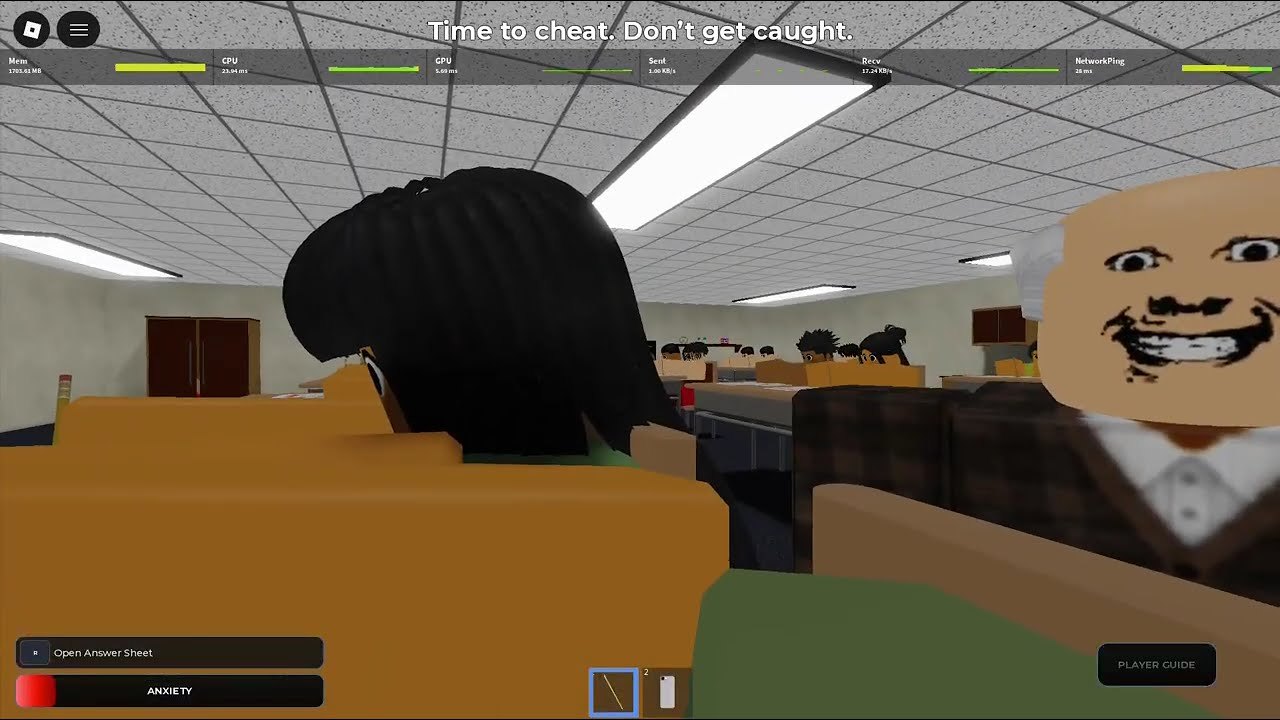
This page is the September 2026 checkpoint for Cheating During Testing. The most significant recent development is the “A NEW ERA OF CHEATING” event running from September 1 to September 8, 2026, which introduced seat picking, new shop items, and donator perks. Visits have grown to over 36 million, with active players near 18,000 and a community growth rate of 199%.
The “A NEW ERA OF CHEATING” Event (September 1–8, 2026)
This limited-time event is the largest content drop since the August 2026 Massive Shop Update. Confirmed additions:
- Seat picking — choose your desk before the exam starts, replacing random seating
- New shop items — the Eraser (correct mistakes without raising suspicion) and Pen (answer speed bonus) joined the store
- Donator perks — top 3 donators during the event receive exclusive gadgets, bonus Credits, or unique cosmetics
- Menu style redesign — updated layout makes it faster to access items and stats during exams
The event description promises a fresh take on classroom cheating, and the seat-picking mechanic changes how players approach early positioning — a major strategic shift from the random-seat norm.
Updated game metrics (September 2026)
| Metric | Value |
|---|---|
| Total visits | 36.2 million+ |
| Active players | 18,000+ |
| Favorites | 594,500+ |
| Community growth | 199.4% |
| Approval rating | 82.1% |
| Max players per room | 24 |
| Status | Live BETA |
What did not change
- VIP servers remain off. Public classrooms only. See VIP Servers.
- No verified promo codes. The Codes Hub remains empty of confirmed working codes. Random “2026 working codes” lists are unverified marketing.
- No official Trello or Discord linked from this wiki. See Trello Status and Discord.
- Core loop intact: sit exam → manage Anxiety and Hunger → photograph with Phone → spend Credits in Shop.
- Teacher windows still approximately 5 seconds on entry, 3 seconds during punishments. Confirm with Safe Windows.
New items: Eraser and Pen
The “A NEW ERA OF CHEATING” event added two new shop items:
Eraser — lets you correct test mistakes without triggering suspicion. Useful when anxiety spikes from a wrong bubble and you need a clean correction without the full phone workflow.
Pen — provides a passive answer-speed bonus. Helps during timed exams when copy speed matters.
Both items are affordable and effective for beginners, according to early player reports. Full shop pricing and level requirements should be verified in-client, as BETA items can shift. Check Shop Items for community-tracked costs.
Seat picking — new strategic layer
The seat-picking feature changes early-game positioning. Instead of random assignment:
- Players see a classroom layout before the exam begins
- You select a desk, prioritizing corners and back rows
- Strategic seat choice reduces teacher approach angles
This makes Classroom Map and Seat Strategy even more valuable — you now pick your battlefield before the timer starts.
Shop snapshot (September 2026)
Community-tracked items still include:
| Item | Estimated cost | Level |
|---|---|---|
| Smart Watch | ~100 Credits | Level 1 |
| Smart Glasses | ~600–1,500 Credits | Level 2 |
| Phone tier 1 | ~300 Credits | Level 3 |
| Phone tier 2 | ~400 Credits | Level 3 |
| Phone tier 3 | ~450 Credits | Level 5 |
| Eraser (new) | Verify in-client | Verify in-client |
| Pen (new) | Verify in-client | Verify in-client |
| Snitch | Robux | Level 1 |
Always open the live Shop to confirm prices. BETA retunes move numbers.
Scripts and community loaders
Community scripts for CM Hub, ESP, and auto-answer features were circulating with August dates. Given the September event update, assume older script versions may error until authors publish compatible releases. Auto Answer and How to Execute remain documentation with ban risk — play clean if your account matters.
Player ritual for September 2026
- Check the lobby Update Log first — it reflects official changes faster than any wiki
- Try the new seat picking feature and plan your desk using Classroom Map
- Test the new Eraser and Pen items in the Shop if you have Credits to spare
- If phones are unlocked, continue the all-A workflow from Phone Trick
- Report any bugs via in-lobby Report Bug / Support
Community response
The September 2026 event and continued growth (199% increase) reflect positive reception. With an 82.1% approval rating and nearly 600k favorites, the BETA continues to attract new players seeking the classroom stealth experience. The “A NEW ERA OF CHEATING” event has refreshed the meta for both new and veteran players.
How this page is maintained
We combine Roblox experience metadata, community snapshots, and guide impact. If an update only refreshed assets, we say so. Older context lives on BETA Notes and August 2026 Update. Developer remains ebenxzy.
After you close this tab
Play one exam using the new seat-picking feature. Notice how positioning changes your sightlines. Then spend Credits intentionally using the Credits Planner — and check Shop Items for the new Eraser and Pen. Parent hub: Updates.
Frequently Asked Questions
Quick answers to the most common classroom questions.
What is the "A NEW ERA OF CHEATING" event?
A limited-time event (September 1–8, 2026) introducing seat picking, the Eraser and Pen shop items, and donator perks. Check the lobby Update Log for exact end-date confirmation.
Are there new shop items?
Yes — the Eraser (mistake correction) and Pen (answer speed bonus) joined the shop during the September 2026 event. Verify prices in the live Shop.
Did codes get added?
No verified codes as of September 2026. Check Codes Hub and avoid paste-site speculation.
How does seat picking change strategy?
You choose your desk before exams, making Classroom Map and Seat Strategy more valuable — pick corners and back rows for the best angles.
Are VIP servers enabled?
Still not allowed. Public rooms only, up to 24 players.
What are the new stats?
36.2M+ visits, 18k+ active players, 594.5k favorites, 82.1% approval, 199.4% growth.